beta

Your terminal & ADE,on the go

Turn your terminal multiplexer into an agent workspace.

st comes inside it; nothing else to install.

Only the st CLI, in your terminal
$curl -fsSL https://dl.sophonz.io/install.sh | sh

An agentic development environment (ADE) built on your terminal multiplexer.

Coordinate agents across machines. Keep the sessions and conversations you already use.

Workers on your other machines, in the same graph

Sign in on each machine and a coordinator can hand work to agents on another one, such as a Mac kept for the simulator. They join its graph with their machine named on the card.

Workers on another machine
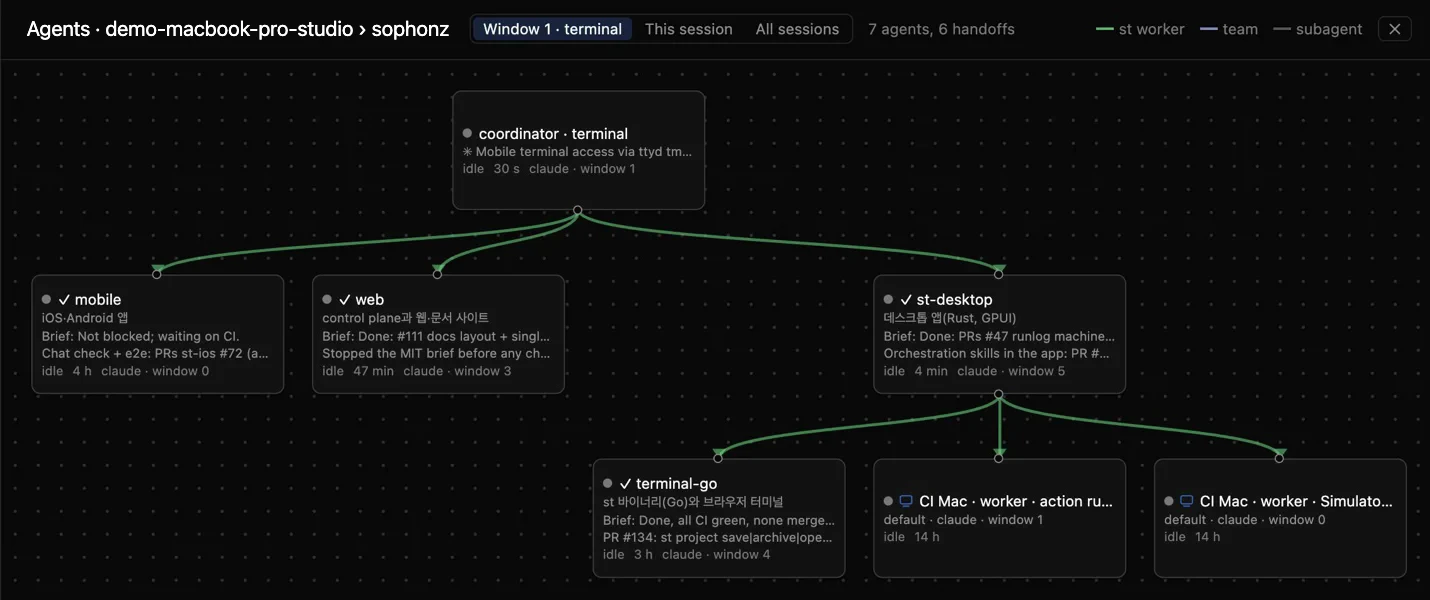
The agent graph in the web terminal: a coordinator with three workers, and under st-desktop one more on this machine and two on CI Mac, marked with a monitor icon and the machine’s name

Let a worker go, bring it back, and see it on record

In the desktop app’s agent graph, release a worker and drop it back onto a coordinator. It keeps its conversation, and the History tab records each step and who asked for it.

Adopting and releasing workers

From an agent’s row to its terminal

The Agents card lists the coordinator and its workers with their windows. Pick a row and that window opens.

The desktop app

It shares the terminal itself

Whatever is running at the prompt — an agent, a build, a log, the documents it left — is what you carry on from your phone, a browser, or another PC. What is shared is the shell, not the thing inside it.

Agents and their state
native apps · beta

Your terminal and its agents, in an app of their own

Start a session at your computer and leave it open there. The app joins that same session — the terminal and the browser stay on it — and you carry on from your phone.

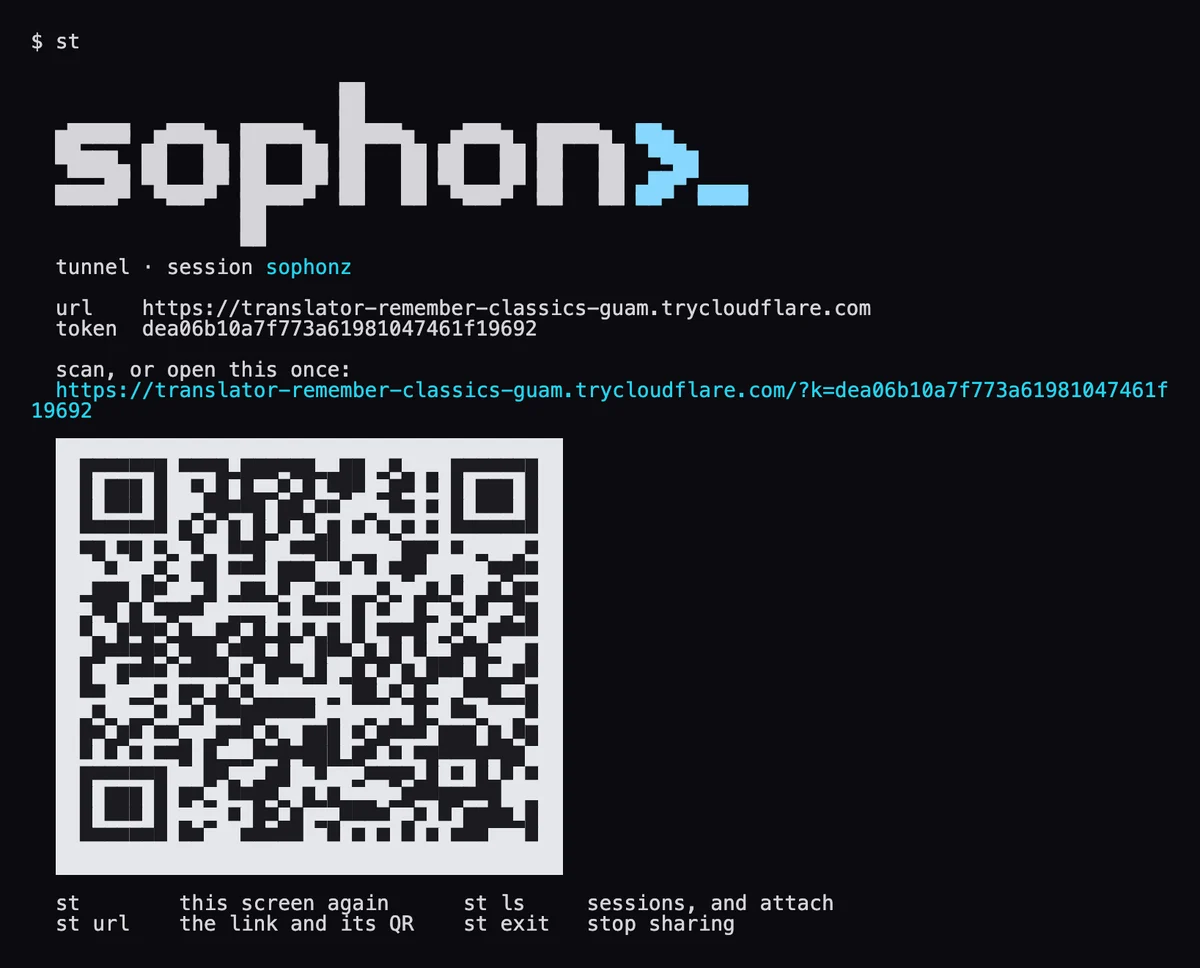
  1. 01Install the desktop app or st on your computerThe desktop app has the QR on the machine's row in its sidebar; st prints a link when it runs, and a QR code of the same thing.
  2. 02Paste the link, or scan the QRThe app keeps the machine, so next time it is one tap.
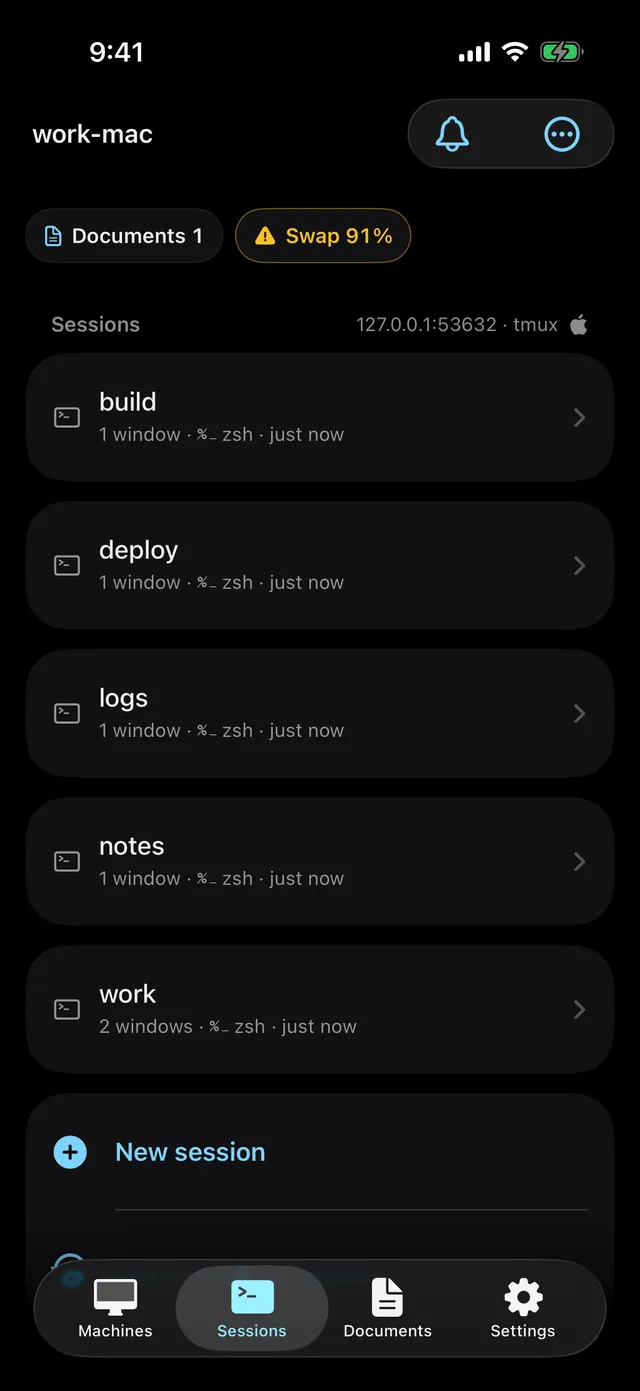
  3. 03Your sessionsEvery session on that machine, and the windows inside each.
Download on the App StoreGet it on Google Play

Both apps are in beta: the iPhone app as an open TestFlight beta, the Android app as an open beta on Google Play.

How to use the apps →
Browser
iOSbeta
iPadOSbeta
Androidbeta
Desktopbeta

Get it

The desktop app or st on your computer, the app on your phone. All of them reach the same session.

Downloaded 1,145 times (since 2026-10-29)

Desktop appv0.2.1· 212 downloads

This computer's sessions and the other machines on your account, in one window. st is inside, and it updates itself.

What st prints when it starts: the link, the token and a QR code

stv0.4.2· 924 downloads

One binary for the terminal. Run it and it prints a link and a QR code.

curl -fsSL https://dl.sophonz.io/install.sh | shmacOS, Linux and Windows
The iPhone app's list of sessions

Mobile

For iPhone and Android: the same session, on your phone.

Download on the App StoreGet it on Google Play