stui
The open-source, single-machine edition (Apache-2.0). Your tmux sessions and the coding agents in them, their orchestration runs and CI, with no account and no relay.
stui is a terminal UI for tmux and the coding agents running in it. It shows
your sessions, windows and panes, which Claude Code, Codex, opencode or Pi
agents are idle, working or asking for you, the GitHub Actions state of each
pane's repository, and the orchestration runs where one agent hands work to
others. It is the single-machine edition: no st, no account and no relay.
It is open source, Apache-2.0, at
sophonz-labs/stui. The current release
is v0.2.3. How it compares with tmui and
st ui is in the table on the tmui page.
Everything stays on this machine. stui runs a small server on 127.0.0.1 that
watches tmux and the agents' hooks, and keeps its state in ~/.stui. It makes
two kinds of network call: gh asks GitHub for CI runs, and the usage poller
asks Anthropic and OpenAI for your plan limits (stui usage poll off stops it).
Install
curl -fsSL https://dl.sophonz.io/stui/install.sh | sh
stui hooks install    # let Claude Code, Codex, opencode, Pi and others report their turns
The script puts stui in ~/.local/bin after checking its SHA-256
(STUI_INSTALL_DIR, STUI_VERSION=v0.2.3). With Go:
go install github.com/sophonz-labs/stui@latest. Without hooks stui still reads
the agents' screens, but hooks are what tell working from asking reliably.
stui upgrade replaces it with the latest release the same way, checking the
SHA-256, and restarts the background server on it. A stui that Homebrew
installed is left alone: it says to run brew upgrade stui.
It needs tmux 3.0 or later (3.2 to attach in a popup) on macOS or Linux, and
gh for CI.
Using it
stui                  # the UI; starts the background server if needed
stui ui agents        # open on a view: sessions, agents, orch, ci, usage
stui status           # the server and every agent's hooks
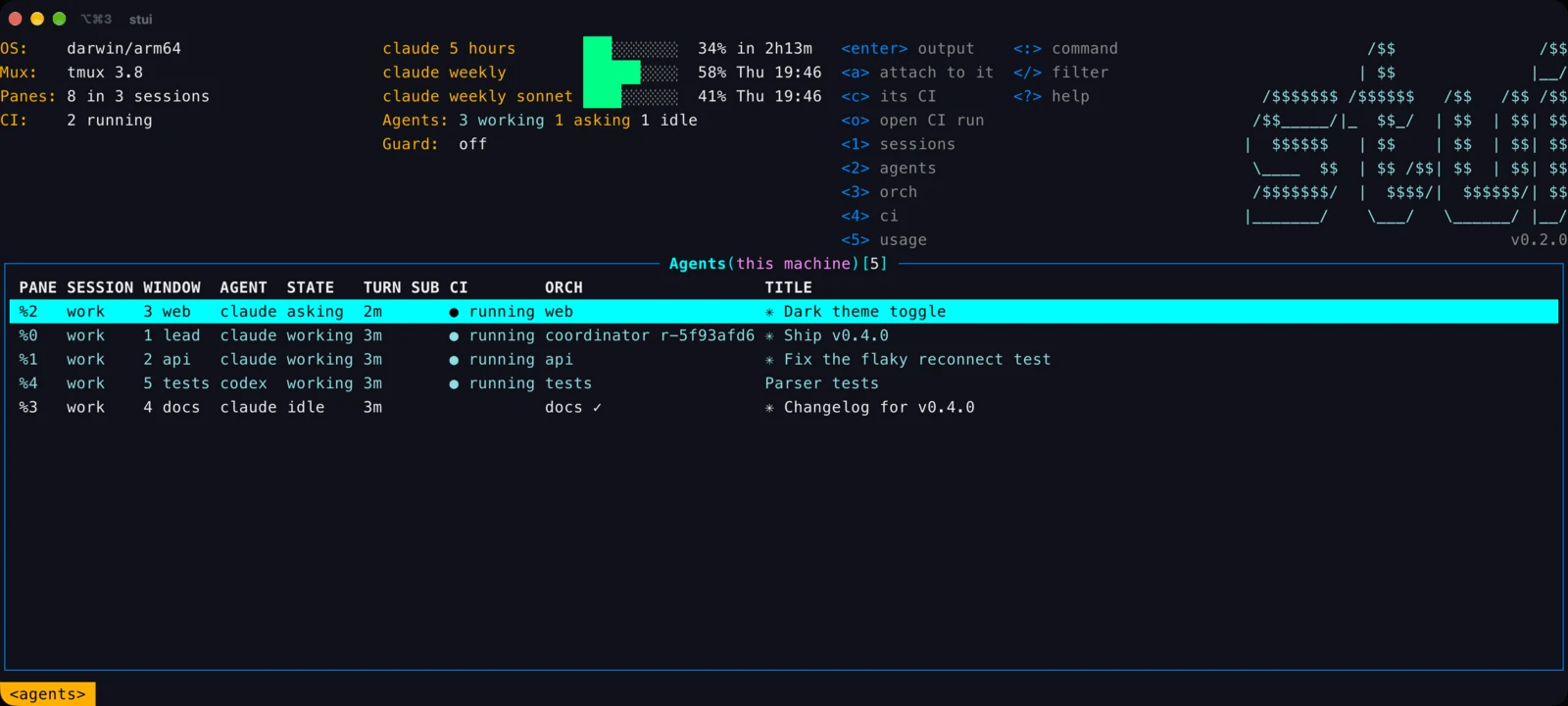
stui stop # stop the server1–5 switch views: sessions, agents, orch, ci, usage. enter goes down a
level and esc comes back. ? lists every key. working is teal, asking
(the agent waits for you) is orange. A state the pane's program reported itself (OSC 7501) is
marked, working (reported) (v0.2.3). Claude Code does not report this way
inside tmux, so stui reads it from its hooks and screen.
| Key | Where | Does |
|---|---|---|
a | sessions, windows, panes, agents, orch | attach; prefix d comes back, as in tmui |
c, o | panes, agents, CI | that pane's CI runs; open the run in the browser |
n | sessions, windows | new session; new window, optionally with an agent |
ctrl-d | sessions, windows, orch | kill or stop (asks first) |
r d | orch | read a worker's answer, its diff |
ctrl-e | everywhere | the header on and off |
: | everywhere | a view, :ext, :config, or any stui command: :worker list, :orch history |
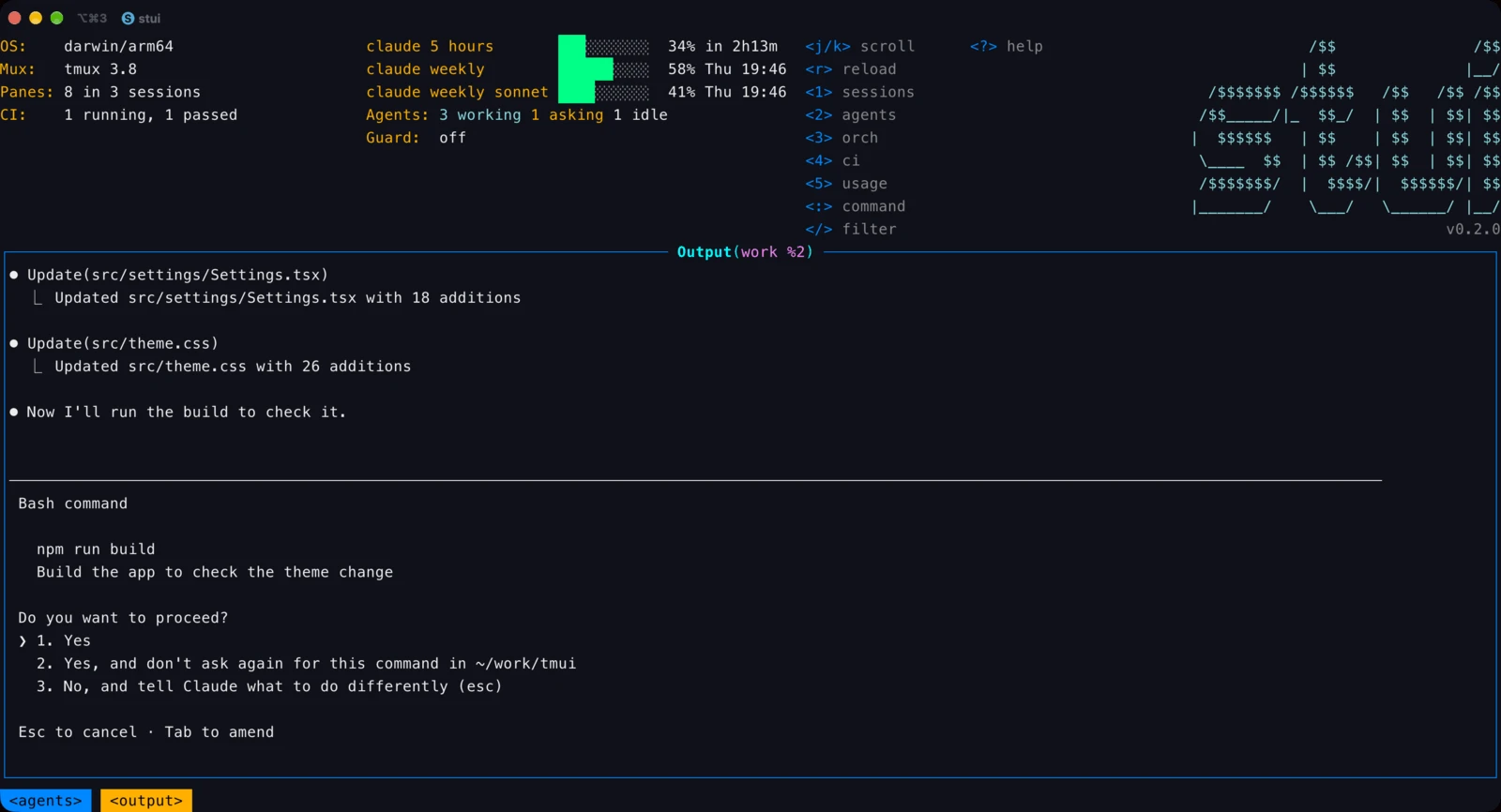
Copying is the same as in tmui: y and Y copy a row, v and y select and
copy a pane's output, and z shows the output alone for your terminal's own
selection.
Orchestration
One agent, the coordinator, starts other agents as workers in their own tmux
windows, hands them tasks, waits, and reads their reports. The commands are for
the agents; stui plugin install teaches Claude Code and Codex to use them.
stui orch start --objective "make the parser tests pass"
stui worker start --agent claude --name tests --task task.md
stui worker wait --check-in 3m
stui worker read tests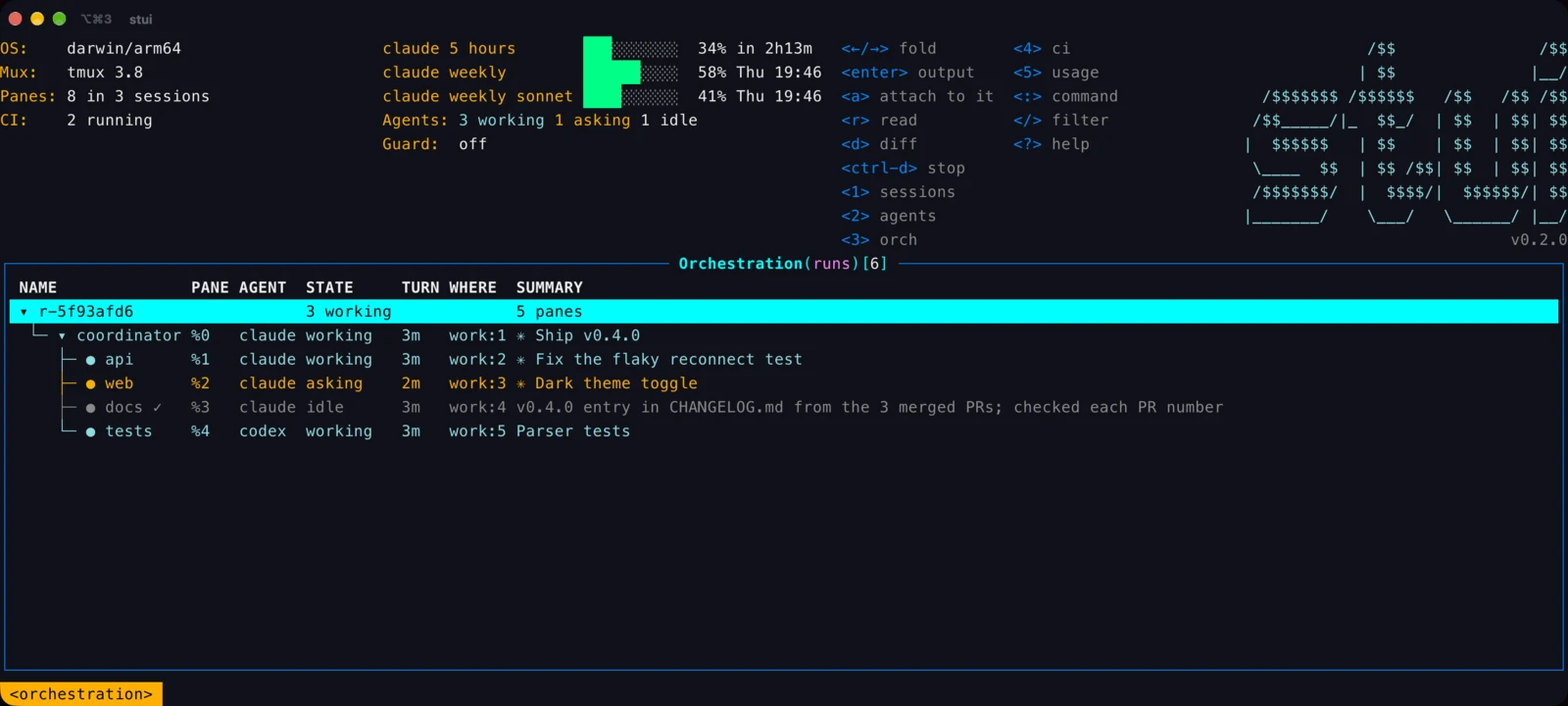
With st on the same machine
When st runs on the same machine, stui shows st's runs and agents too,
read-only. It asks st's local server (on 127.0.0.1, GET only) at every
refresh, and marks st's runs (st).
- Reading works on st's rows: output, attach, CI, copy, and
randd. - Changing does not:
ctrl-don one of st's workers saysthis is st's run: use st ui. A run belongs to the tool whose coordinator started it. st.read: falsein the config turns it off.
Other machines stay st ui's: stui is this machine only.
Plugins and config
stui reads the same plugins as tmui (tui-plugins):
stui ext install|list|remove <name>. (stui plugin is something else: the
orchestration skills for the coding agents.)
Settings live in $XDG_CONFIG_HOME/stui/config.yaml (~/.config/stui/config.yaml
by default), with stui config and stui config edit. The keys are tmui's —
ui.logo, ui.headless, ui.color, refreshRate, startView,
plugins.enabled, plugins.disabled — plus st.read. startView takes
sessions, agents, orch, ci or usage.