tmui
A terminal UI for tmux, open source (MIT). Sessions, windows, panes and their output in one screen, with nothing else running.
tmui is a terminal UI for tmux. It shows a tmux server's sessions, windows and
panes in one screen, makes, renames, splits and kills them, reads any pane's
output, and attaches to a session in a way that comes back to tmui when you
detach. It talks to tmux directly, so it works with any tmux setup and needs
nothing else running: no st, no account. It is open source, MIT, at
sophonz-labs/tmui. The current release
is v0.2.2.
Which one
tmui, stui and st ui look alike and share their keys. They differ in what they need and how far they reach.
| For | Shows | Other machines and phones | Needs | |
|---|---|---|---|---|
| tmui (MIT) | anyone who uses tmux | sessions, windows, panes, output; plugins | no | tmux |
| stui (Apache-2.0) | running coding agents on one machine | tmui's views, plus the agents' states, orchestration runs, CI and plan limits | no, this machine only | tmux; gh for CI |
| st ui | st users | stui's views, plus every machine on your account and the machine's vault | yes, through st and the apps | st sharing on the machine |
Install
curl -fsSL https://dl.sophonz.io/tmui/install.sh | shThe script puts tmui in ~/.local/bin after checking its SHA-256.
TMUI_INSTALL_DIR puts it elsewhere, and TMUI_VERSION=v0.2.2 pins a release.
With Go: go install github.com/sophonz-labs/tmui@latest. The
releases page has
tmui-<os>-<arch>.tar.gz for macOS and Linux, amd64 and arm64, with
checksums.txt.
tmui upgrade replaces it with the latest release the same way, checking the
SHA-256 (--check only says whether there is one, --version vX.Y.Z installs
that one). A tmui that Homebrew installed is left alone: it says to run
brew upgrade tmui.
It needs tmux 3.0 or later on PATH (3.2 to attach in a popup), on macOS or
Linux.
Using it
tmui                  # the server you are in, or the default server
tmui -L work          # the server on socket name "work", as tmux -L
tmui -S /tmp/my.sock  # the server at a socket path, as tmux -S
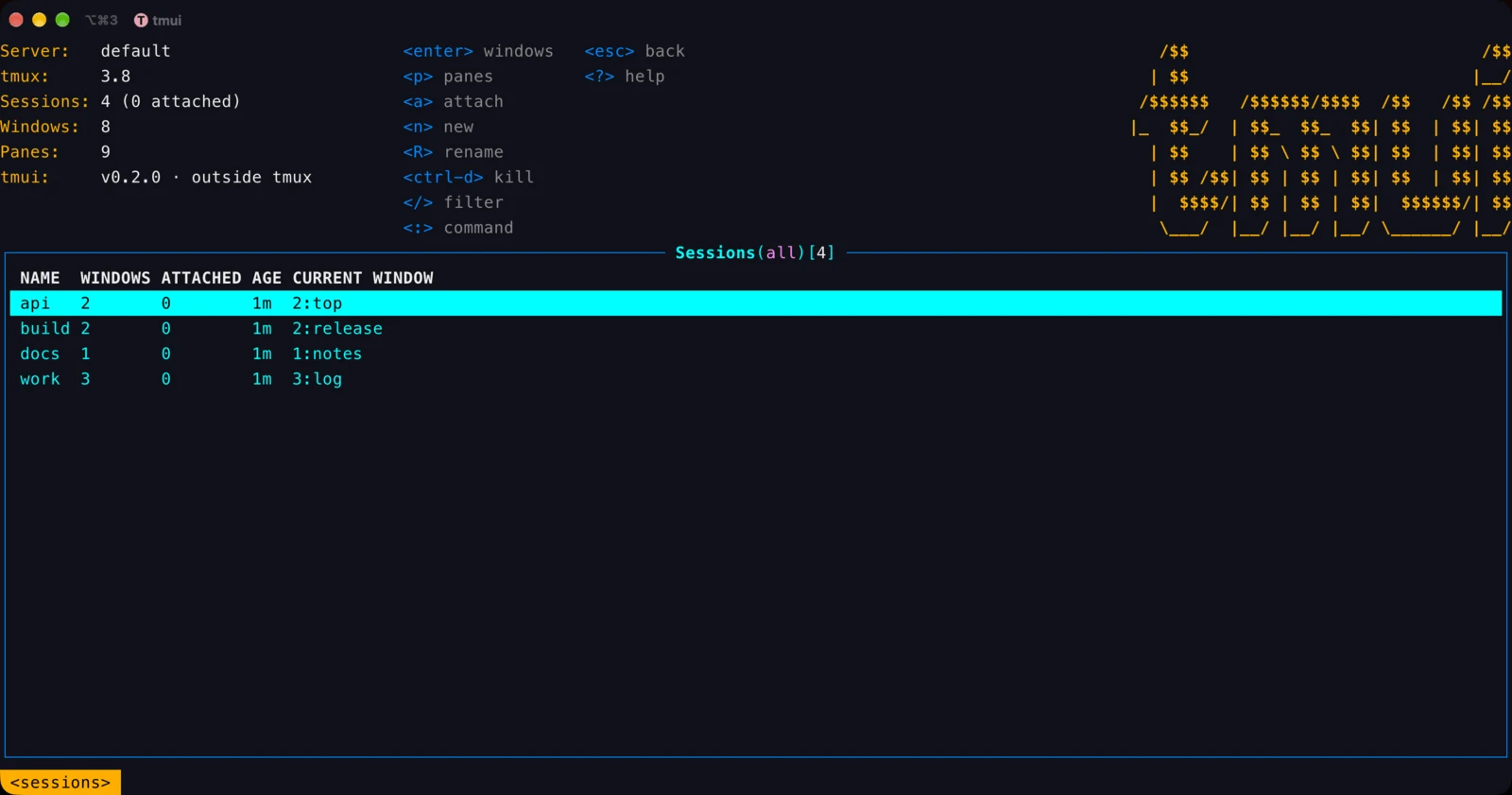
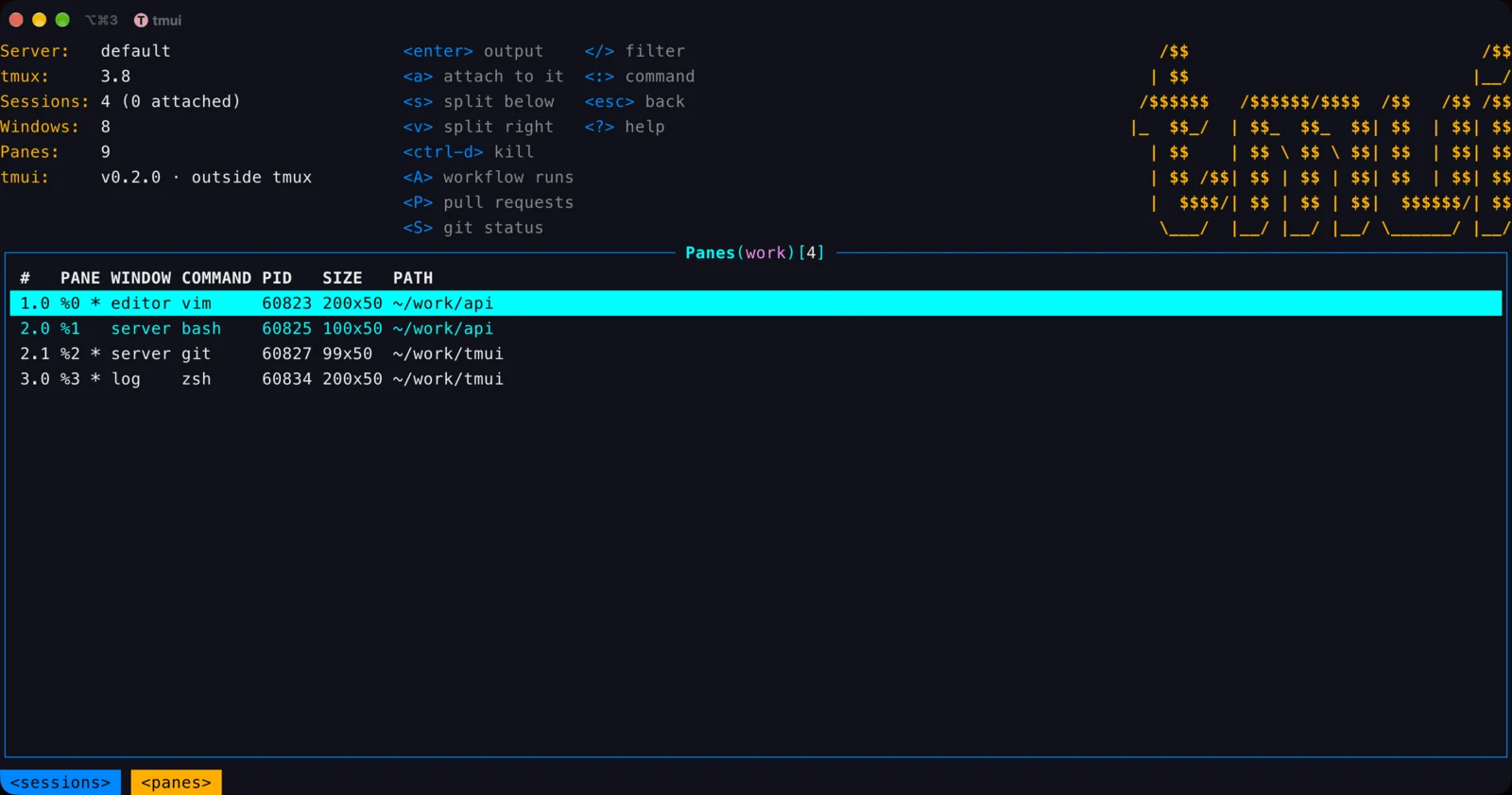
It opens on the sessions list. enter goes down a level (sessions, windows,
panes, a pane's output) and esc comes back up. ? lists every key.
| Key | Where | Does |
|---|---|---|
j k, g G, ctrl-b ctrl-f | everywhere | move, top and bottom, a page |
enter, esc | everywhere | into the row, back (or clear the filter) |
/ | lists, output | filter the rows; in the output, search (n N next and previous) |
a | sessions, windows, panes | attach (below) |
n, R | sessions, windows | new, rename |
s v | panes | split below, split right |
ctrl-d | sessions, windows, panes | kill (asks first) |
ctrl-r | everywhere | refresh now (it refreshes every 2 seconds) and read the config again |
ctrl-e | everywhere | the header on and off |
: | everywhere | :sessions, :windows, :panes, :ext, :config, :logo, :headless, :tmux <args>, :q |
:tmux <args> runs a tmux command on the same server, such as
:tmux new-window -d -n logs; what it prints opens in the pager.
Copying
A mouse selection would take the frame and the columns with it, so tmui copies only the content, as plain text:
ycopies the row's value: a session's name,session:indexfor a window, a pane's id, a plugin row'surl.Ycopies the whole row, tab-separated.- In a pane's output,
vselects lines (jkgGextend it) andycopies the selection, or the whole output when nothing is selected. zshows the output alone, with no frame, for your terminal's own mouse selection.esccomes back.
The text goes to the terminal's clipboard (OSC 52 outside tmux, a tmux paste
buffer inside it) and to this machine's clipboard when it has pbcopy,
wl-copy, xclip or clip.exe.
Attach and come back
Before attaching, tmui says how to get back, with your real prefix key:
attaching to web — C-b d comes back to tmui.
- Outside tmux, it runs
tmux attach. Detach (prefix d) and tmui is back. - Inside tmux 3.2 or later, it opens the session in a full-size popup.
prefix dcloses the popup and tmui is still there. - Inside older tmux, it switches the client;
prefix Lorprefix sreturns.
Plugins
A plugin brings another CLI in: its output as a view in tmui's table, and its
commands on keys and on the : line. Plugins are JSON files, and tmui and
stui read the same ones. The plugins that exist, and how to
write one, are on the tui-plugins page; the format is
SPEC.md.
tmui ext install gh-prs       # prints every command it will run and asks first
tmui ext install ./my-plugin  # a directory with a plugin.json, or a path or URL to one
tmui ext list
tmui ext remove gh-prs
With gh-runs installed, the pane under the cursor opens its repository's
GitHub Actions runs:
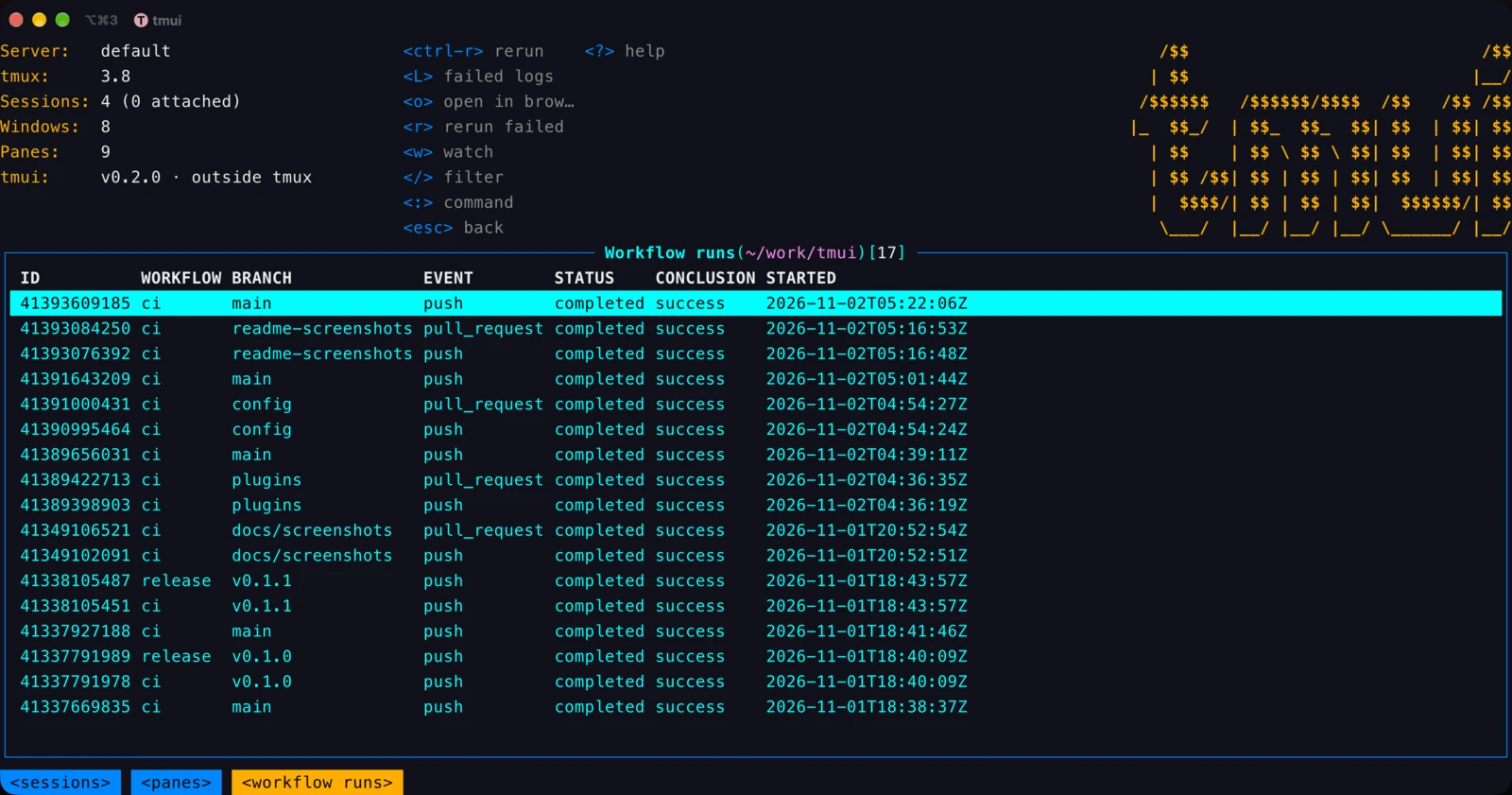
tmui's own keys and commands always win; a plugin key that meets one is left
out, and :ext says so.
Config
Settings live in $XDG_CONFIG_HOME/tmui/config.yaml (~/.config/tmui/config.yaml
by default). Without the file the defaults stand. A key or value it cannot use
is a warning in the status line and in :config. tmui reads the file again when
it changes.
tmui config          # the settings in effect, and where each comes from
tmui config edit # open it in $EDITOR, with every default commented| Key | Default | |
|---|---|---|
ui.logo | true | the logo at the header's top right |
ui.headless | false | no header at all; ctrl-e toggles it for now |
ui.color | true | false draws without colour, as NO_COLOR |
refreshRate | 2s | how often it reads tmux again, 500ms or more |
startView | sessions | sessions, windows or panes |
plugins.enabled, plugins.disabled | true, [] | load no plugins, or leave some out by name |